Friday, September 6, 2019

Portable – What can go wrong will go wrong... (Part 1)


Portable – What can go wrong will go wrong...
Part 1

One of the things as a Ham Radio op that really appeals to me is working portable.
The fresh air of outdoors, the challenge of getting your system setup & running.

I look at /p as good practice for if there was ever a natural disaster that required me to setup in a remote location and be able to call for help or be able to transfer emergency messages for the local community.

So far, my /p experience has not been a great one. I have been cursed with issues – the first with battery problems, my old 24Ah Lead Acid battery would not hold a charge for any length of time when operating, even at low power levels.
Antenna system’s that would not work in the field in terms of tuning.
Coax cables that have not worked or failed when out.
Connectors falling to bits or just breaking.
Power connectors & leads falling to bits.

I guess this is all part of the learning experience or is it?

Battery:
I have now replaced my old battery with a brand new 45Ah Lead Acid and I am in the process of making a battery box for it, Using a Tool Box.


Now before people start saying ugh “Lead Acid, that’s so 20th century you should be using a Lipo”
I don’t do SOTA so I don’t have to worry about weight, I’ll be using the battery from the car 90% of the time and 10% from just outside it, so weight is not an issue for me.
Also, I know that Lipo batteries are better for the environment & have a better power output curve however this lead acid battery was cheap.

Most Lipo or LiFePo4 batteries that I have seen on the market are still stupidly expensive - for me anyway.
 
Antenna’s
One of my antennas is a wire up a 10m fishing pole, I was given this by a ham friend and was told to use a 4:1 Balun and a counterpoise.
The antenna system did not work as I was using a 4:1 Balun when it should have been a 4:1 UnUn.

I was helped a lot from Nigel M0CVO who advised me that I needed a 4:1 unun (Un Balanced to Un Balanced) system.

This said one was put on order & has now arrived.

The unit feels like its ooooozing quality, A nice heavy block made from plastic but with quality parts as you would expect made from a Ham who knows his stuff.
Looking at Nigel's website - 

(www.m0cvoantennas.com) he has a lot to offer the ham op.

At the time of writing this we have had about a week of high winds & rain hampering my ability to get out into the garden to test the unun but rest assured I will & report on how everything goes in part 2.

Coax Cable’s:
The Coax cable I was using was some that I had been using for a while for other projects and was a good few years old.
I use 2 reels of coax in my /p box – one is 10m (32ft) and the other a 21m (70ft) of RG58.

My 10m coax was the one I used the most and was the one giving me all the problems, looking into why it was not working I found that there had been water ingress at some point and the copper braid inside was quite green.

My 10m coax has now been replaced with new RG58 double screened coax and is working much better now.

Coax Connectors:
After replacing my coax, I needed some new connectors for the ends, so I went onto eBay to buy some more, I found what I thought was a bargain of 3 for 75c from China.
How wrong could I have been!!

Total cheap tat, I guess this is what is now expected from buying from China these days – it all seems to be made a cheaply & quickly as possible.

These went into the bin and I ordered some high quality PL259 plugs from an antenna company in the UK. The plugs were £1.50p each but well worth it for the high quality that they are!

Power Connectors & Cables:
Much like the coax plugs, I had cheeped out on the connectors.
I had been testing a few different types before deciding on what I wanted to put on my power box.

12v Car Accessory Socket
Bullet Plugs / Sockets
Banana Plugs
Anderson Power Poles

The Car Accessory Socket are only rated at about 10 amps so they would not be any good for the radio, well not for full power anyway!

Bullet Plugs & Sockets are just not up to the job and kept falling off even when soldered & crimped.

So, now I’m looking into Banana Plugs as these seem to be used on a lot of power supplies & all my equipment has these fitted now & seem to be working quite well for now.

I had also looked at using Anderson Power Poles, but these are far too expensive to buy here in Ireland, I would also need to get a tool for crimping them as well.
Maybe I will look at these in the future if I win the lottery 😊
Other connectors I was having a look at was the ones used on some of the RC batteries.
These seem to be high current but again they are very expensive to buy here in Ireland.

I think one thing to take away from this so far is that it’s not wise to cheap out on equipment or parts when you are trying to make up a kit for the field or for emergency use.


Catch you in the next part where I report back on how all the kit works…


Thursday, August 22, 2019

Beaches On The Air (BOTA)

Wow it's been a long time since I've written a blog and just sitting here in the car waiting for Caitlin to do some shopping and I thought why not.
Lately my focus and concentration has been on selling items on eBay and trying to build that as a form of business model to bring a little bit of income into the pot for playing portable radio. More on this in a future Blog :)
this will make an interesting blog for another time so keep a watch out for it.

in today's blog I thought it'd be interesting to talk about BOTA or BEACHES ON THE AIR.


Now I've heard a lot of different portable ops talking about summits on the air or parks on the air but not a lot of people know about beaches on the air.
Beaches on the air is much the same as parks on the air or summits on the air in that you activate an area, in this case a beach and gain points for activating and people gain points for chasing.

When I activated Culdaff beach (37295) for my first beaches on the air activation, I was asked by a lot of my contacts what beaches on the air was and where they could find information about it. I directed them to the beaches on the air website www.beachesontheair.com

So for me beaches on the air is a bit of a godsend in that I'm not able to climb mountains to do summits on the air and here in Ireland we don't seem to do parks on the air.
Given that I live on a peninsula there are plenty of beaches for me to choose and to set up portable and participate in a fun bit of portable radio.

Much like summits on the air, beaches on the air awards points to activators and chasers alike.
Their website also holds a league table of all of the activators and chasers.

So I set about getting my portable radio equipment ready.
You may remember a YouTube video that I produced back in 2017 (https://www.youtube.com/user/stevetck/) with regards portable radio equipment what has changed a little bit is the radio featured in that video the Yaesu ended up being repurposed for my HF packet radio bulletin board system.

So for my birthday in April (2019) I received a brand new Yaesu FT450d. I went for the 450d as I've had one of these before they're nice and small and they have a built-in tuner.

Ok so let's talk antennas I have two antennas that are used for portable use the first one is a 10-m fishing pole with a wire of the middle and the second is a small windom antenna that I use on a 9 m fishing pole.

 10m Fishing Pole.

Oh yes I nearly forgot that I have a small mono band 20 m mobile antenna for the car that I use when I'm stationary.

AMPRO 14MHz (20m) Mobile Antenna

Both of these antennas work very well and depending on the location and the surroundings depends on which antenna I choose to use.

Ok now for the power supply.

Here I have two options the first is a 45 amp hour sealed lead acid battery and the second option is a 30ah mains power supply.

I know a lot of people will be thinking that a 45 amp lead acid battery is going to be heavy but bear in mind I only operate from the car or just outside of it so having a heavy battery is not generally an issue for me.

The mains power supply that I have is generally used when mains power is available .
One of the other things that I have in my kit is a Signalink for doing digital modes. Digital modes of great when the bands are in very poor shape and you can still make contacts all around the world on just a few Watts.
The digital modes I can use my laptop that runs Windows 10 or I can use my Android tablet if required. This means that I can tailor my equipment depending on the location that I'll be working from.
I prefer taking my laptop when I go portable because I am able to use it to connect and control my radio this is great when using logging programs like ham radio deluxe. Ham radio deluxe has been my logbook of choice for many many years and is constantly being updated.

In summary for now beaches on the air has really given me a way to get outdoors and play radio at the same time. For most of us amateur radio hams we never seem to remove ourselves from the radio shack and the comfort of indoors.
It's nice now to get outside and have a bit of a challenge, it's also great meeting new people and explaining what amateur radio is all about and this is great for community relations between amateur radio operators and the local community.

But let's not forget the most important thing here is that I get to play radio and have a challenge.
I look forward to having a qso with you and have a chat on the air very soon. Don’t forget to check out the beaches on the air website at www.beachesontheair.com and register.

Here is some further information I have managed to get so far about BOTA – In terms of rules etc this will change as I get more information and I have no issue sending any updates I have in the form of a PDF file to your email address.


Beaches On The Air – BOTA


Beaches On The Air (BOTA) is an award scheme for radio amateurs that promotes portable operation from beaches. We have rolls of honour and awards certificates for activators (those who operate from the beaches) and chasers (those who contact them from home or elsewhere). 

You can participate from any beach, country or region around the world. Our programme currently lists more than 30,000 beaches & growing every month, often drawn from official sources, such as environmental protection agencies, but also allows the addition of individual beaches sponsored by users.
Activators and chasers accumulate points with each QSO. As an activator, you will earn points based on the number of QSO's you make, as well as the number of confirmations you receive from chasers through our website. 
As a chaser, you will earn points with each QSO that you confirm on the website. 

Unlike in other programmes, you can activate, or chase, the same beach as many times as you wish and you will always earn additional points. Unlike other programmes too, Beaches On The Air does not impose any restriction on how you get to the activation point or on the power source you use for your station. It supports energy efficiency, however, by creating a special category for QRP operations.

Facebook Group:
https://www.facebook.com/groups/beachesontheair/

Guidelines

In this page we will try to compile some guidelines for activators and chasers. These guidelines will evolve as the programme develops. They should be understood as recommendations.
  1. Announce your activation. Whenever possible, you should add your activation to the Beaches On The Air website before it starts. You simply do not fill in the QSO count yet. You will be able to edit your activation to include the final QSO count after the activation has finished. This has the following advantages:
    1. It serves as an announcement of your activation for chasers.
    2. Chasers will be able to claim their QSOs with you immediately after making them, while the activation is still ongoing.
  2. Promote Beaches On The Air. During an activation you should try to promote the programme among chasers by
    1. Calling CQ 'Beaches On The Air' in phone or CQ BOTA in CW.
    2. Responding to any other CQ call, referring to your 'Beaches On The Air' activation, and sharing your beach name and reference.
    3. Ensuring your activation gets posted on the DX Cluster, e.g. by asking your chasers to spot you there after their QSO with you.
    4. Inviting your chasers to visit the programme's website 'beachesontheair.com'.
    5. Encouraging chasers to claim their chaser points by confirming their QSO with you on the Beaches On The Air website.
  3. Take pictures and videos. You should try to take pictures or videos of your activations. Other members enjoy this very much, and it also helps us promote the programme among visitors. When taking a picture or especially recording a video, please do it in landscape format!


Other things to note:
  • No Minimum QSO count to activate a beach.
  • No limit on the power you can use.
  • No limit on the power source that can be used.
  • No limit on the transportation to the beach.
  • Digital modes are allowed but NO FT8/FT4
  • you can activate, or chase, the same beach as many times as you wish

Leaders:
Leaders are activators with the greatest following among registered chasers. Leaders earn one point each time a chaser confirms a QSO with them.

Chasers:
Chasers earn points with each activation they work.

Activators:
Activators earn points with the square root of the number of QSO's they log on each activation.

Sponsors:
Beach sponsors contribute to the expansion of the program by sponsoring new beach listings, irrespective of who activates them. Each fee-paying member is entitled to a beach sponsorship allowance, and some of them choose to use part of their allowance to sponsor the listing of beaches activated by other users. You can contact them if you need sponsorship for your activation.


Sunday, November 25, 2018

Donegal Packet Network (Part 5)


The Packet Network
Part 5

The next step in the BPQ32 setup is starting to add other nodes to the mix by way of adding a port to the BPQ.cfg file.

I added an AX/IP/UDP port definition.
This will then allow me to add other nodes via the internet, so users can connect to other countries and systems outside of Ireland.
I have not managed to MAP a node link to GB7CIP-5 to give me more nodes & bbs’s on the system.
I am also looking to map to VE1JOT’s system as well.


NETWORK 105 (HF Packet)

If like me, you find yourself in an area where there is low or no packet radio users there is always HF!
I have been using HF for packet for a couple of years now and have met & made some amazing friends that I often chat to.

Here is some more info on Network 105 (Net105) :-

Group Description (network105@groups.io)

Network 105 is a group of packet ham radio operators who enjoy chatting over the HF 20 meter band on 14.105 MHz LSB.
Most "conversations" are point-to-point, that is, one ham "talking" to another. However, at times, there can be groups
of operators communicating together on a converse channel, a place where multi-chats may take place!


Keeping packet alive on "NETWORK 105"
Packet is a sharing mode .. it shares info/data, ... and it shares the frequency.
In memory of Bernard Joseph "Burt" Amero, VE1AMA 1942  - 2010

This system being on HF things run at a slower pace, 300 Baud.
This is not a problem as it is mostly just chat. Keyboard to Keyboard conversations.
There are nodes & BBS systems on the frequency if people wish to send & receive Bulls & their mail etc

The best way to get onto HF packet is with a Signalink (Sound Card) as it is a bit more sensitive than using a TNC.
That said a TNC does not require a PC to be on all the time & can have mail / node functions.

Looking at Sound Card software, I have personally been using UZ7HO’s Sound Modem & His Terminal software.
These work great on modern Windows systems (Win 7,8 & 10) and is still being developed as I write this.
Also, the tones that the UZ7HO software produce are a little more robust on the HF bands compared to other software like AGW for example.
Never the less these tones are still compatible with TNC’s and other software like AGW.

  
Here's a list of HF Packet parameters we find most successful:

HB: 300
PACLEN: 60
MAXFRAME: 1
FRACK: 5
DWAIT: 0
If you have a more advanced TNC then also set these: -
PPERSIST: ON
SLOTTIME: 10
PERSIST: 63

If you are using sound card packet (e.g. AGWPE, MultiPSK, MixW) then
definitely check the parameters as most are at the default values for
1200 baud packet.

We use the following SSID convention:
-1: Personal Maildrops (PBBS)
-2: Cross-port digipeater (known as a "gateway" on Kantronics TNCs)
-7: Node e.g. NetRom, KA-Node, K-Net, AEA Gateway Node e.t.c.,


Thursday, November 15, 2018

Donegal Packet Network (Part 4)


The Packet Network
Part 4


Now that the basics have been setup and there is something for people to connect to, I think now is the time to start promoting the system and to get people involved.

Users are the heart and soul of a packet network, without them there is no network after all
I have found over the years that there are many Hams that don’t use the radio that much & Packet Radio is a great way for them to still be in touch with people & have a bit of fun at the same time.

Common misconceptions about Packet Radio…
Its Slow
HF Packet is 300 Baud and is designed as a “Chat” mode for typing to other users much like PSK.
VHF Packet is 1200 Baud but with a modern radio with a data port 9600 Baud is available.
UHF Packet is 9600 Baud and faster is common due to large amounts of bandwidth.

Its Old
Packet has been around since the late 70’s but it works very well, it’s a Ham network designed by Hams for Hams.

You need expensive equipment like a TNC
Most Hams already have what is needed to get onto Packet, A sound card interface like a Signalink.
Sound card packet works very well to 1200 Baud & does not cost a lot at all!
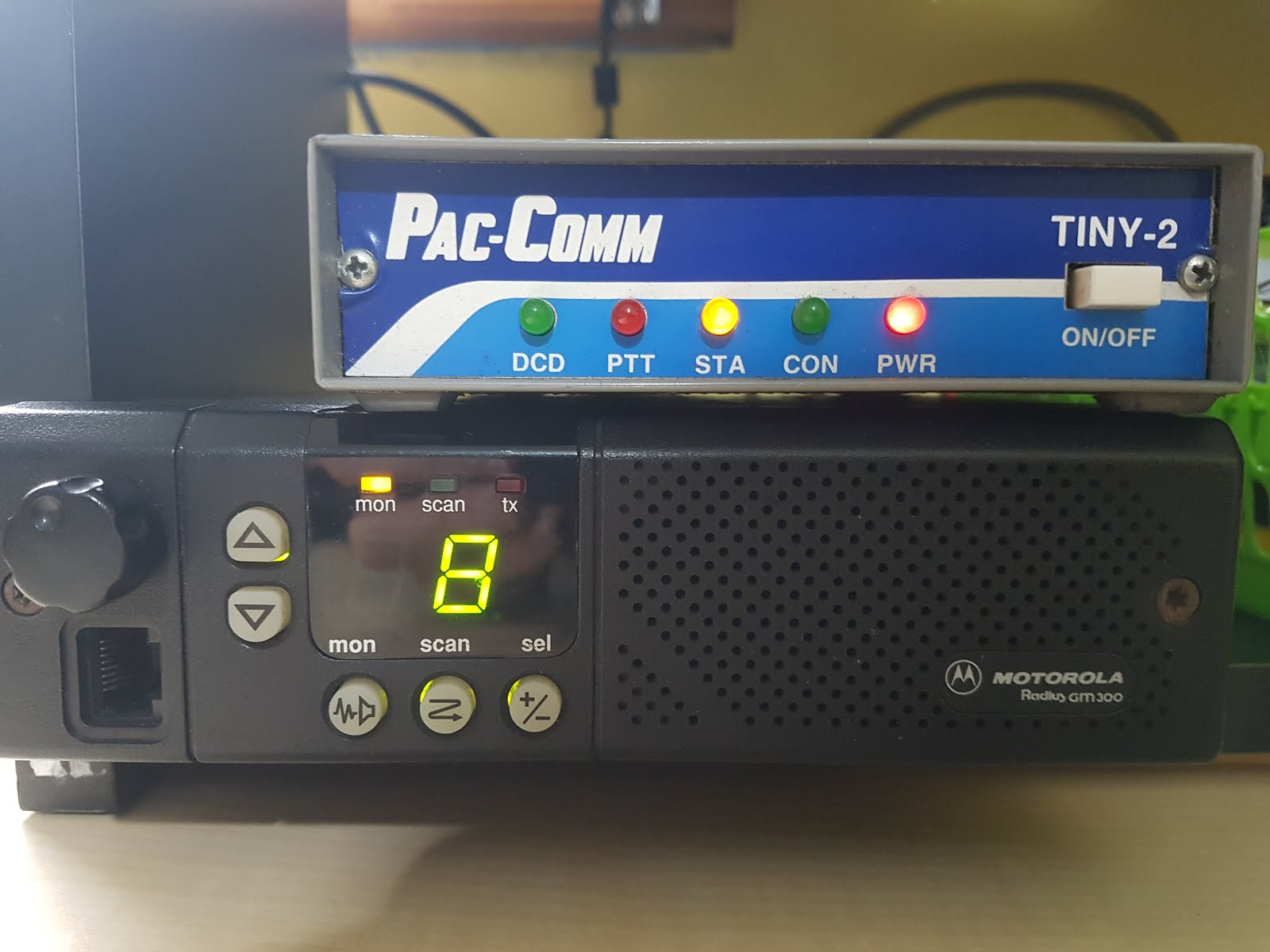
TNC’s are very cheap now but they are starting to increase in value as more Hams see the value in our own network over using the internet. You can pick up a TNC-2 on Ebay for about 40 Euros at the time of writing this.

I can’t hear any packet in my area or no local BBS
All the more reason to setup a packet station!! - You are part of the network by allowing people to use you as a node or digipeater.

The old software no long runs on modern computers (Windows 10)
There is a lot of new software for Packet Radio that people do not know about, Software like UZ7HO’s Packet Engine & Easyterm software for use with a sound card!
N.B – I will be doing a thread on Packet Software Soon…

I can just send mail via the internet
You can send Internet mail via your local node in most cases, but packet is “our” network and does not rely on the internet or any other services.

Current aims:

·         Educate Users
·         Packet Demo’s & Presentations
·         Support New Users
·         Setup More Nodes & Digi’s
·         Add Nodes & Users to a Google Map https://tinyurl.com/ybgmgr7o


Saturday, November 10, 2018

Donegal Packet Network (Part 3)


The Packet Network
Part 3


The Journey continues with my Packet Radio adventure.

The Amateur Radio Emergency Network (AREN) in Northern Ireland seems to be using 144.650MHz
And that was the frequency I was going to keep the Node & BBS on.
So I thought a change was in order…

I have settled on the following frequencies:
  HF:    14.105   - 300 Baud (Live)
VHF: 144.950   - 1200 Baud (Live)
UHF: 432.650   - 9600 Baud (Planned)

As yet I have not got the UHF port setup on BPQ nor do I even have the hardware like the radios setup.
I was thinking I could use my Kenwood TS-2000 to use as the radio system as this has 2 bands on it so I could use UHF & VHF on the same radio.

I am still undecided if the UHF port should be 9k6 or 1k2.
Id like to run 9k6 on UHF as this would give a faster connection to local users and I could also
use this port for forwarding to other systems via RF. – (Let me know your thoughts)

I was chatting with Paul G4APL on packet today to sort out my forwarding issue and we managed to work out the issues.
I had to add a list to the Hierarchical Routes (Flood Bulls) on the BPQ32 setup.
So far, I have added:
WW GBR IRL EU ARRL AMSAT ARL RSGB IRTS DATV ANT EVENT RALLY TECH PACKET NEWS
I’m sure there will be many more to add to the list, so these will be forwarded onto the system.
E.G if you type: SB PACKET@WW this will now send onto the system and be forwarded.

Anything not on the list will stay “local” on my bbs.
So, if I wanted to send a newsletter out to the club I could type: SB CARC@WW
This would then stay on my system and not be forwarded.
(N.B CARC = Carndonagh Amateur Radio Club)

I now need to start thinking on how to promote the system & get more people involved……


Friday, November 2, 2018

Donegal Packet Radio Network (Part 2)


The Packet Network
Part 2


It’s been a few weeks since I wrote Part 1 of this Packet Radio adventure and I have made a small amount of progress.

I was talking to a good packet radio friend Andy UZ7HO, who you may know as he writes the UZ7HO Packet Engine & Easy Term Software.
Andy and I were talking, and I settled on BPQ32, a Windows program that will run on Windows 10.
He sent me a config file to get me started that included ports on HF 14.105 lsb (Net105) and a port on 144.650Mhz.

Here is a list of the services that were added:

EI2GYB-3 / GYBBBS     – BBS (Bulletin Board System)
EI2GYB-4 / GYBCHT     – CHAT (Chat Server)
EI2GYB-5                       – CMS (Email / Winlink)
EI2GYB-7 / GYBNOD   – Node

It was then just a matter of playing with the config file to add connect texts & customise other messages to the users along with the beacons.

EI2GYB-7>NODE:
     ~~~~ ____|~~~~~~~~~~~~~|
     Y_,___|[]|   |       EI2GYB-7     |
    {|_|_|_|  |_,_|_____________|
  //oo---OO=OO     OOO     OOO

Once that was all setup it was then onto the BBS side of things.
For this I had a huge amount of help from Paul G4APL the sysop of GB7CIP.
We both managed to get my system talking to his & forwarding mail & bulletins.

It took a while to get the Hierarchical Routes & Address’s correct, However I still have not been able to send a Bulletin message or a message to go out onto the system so still some more tweaking to be done.

I have the HF Radio & the 2 Meter radio all setup and running now.


See you guys in the next part....


Donegal Packet Radio Network


The Packet Network

I love Packet Radio!   Like with a passion.
It’s what got me into Ham Radio, so I do have quite a soft spot for it.
The sad thing is that Packet has been in decline for many years or, so people keep telling me.

Packet Radio “was / is” our network, A totally Ham Radio network that does not rely on anyone or anything else.
A great tool for use in emergency situations for passing messages, traffic & bulletins.
I know most hams today now use the Internet for sending & receiving emails/messages but that's not radio, that’s relying on another network that is not ham controlled & run.

I moved from Birmingham (UK) to Donegal, Ireland in 2005, Going from an area filled with VHF & UHF packet to one that is none existent was very hard.
All I have now is HF to play with in terms of packet. (Net105) on 14.105mhz lsb.


From the information I could find or rather not find; I have not found any Irish packet systems left ?!?
Where did they all go? & Why?
I did find a handful of APRS stations in Northern Ireland & the south of Ireland but they are very far away and there would be no chance of me hearing them.

So, with this in mind I've set myself a sort of challenge.

    To Promote Packet Radio anywhere I can
    Setup a Node
    Setup a Messaging System / BBS or link to one
    Setup an APRS Node or IGate


For the last year I have been gathering up equipment to start building a network here in north
Donegal with the hope more people will join in.
Well... they do say after all “If you build it they will come”

Now I’m not saying that this network is going to be anything like packet's hay day in the 1980's or 1990's but at least it will be a start...